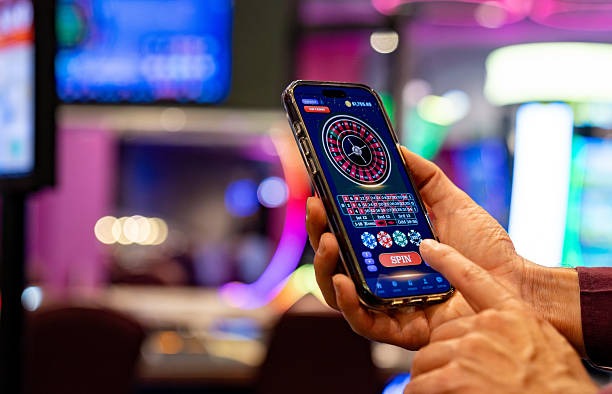
Download and installation on mpo 303
Why choose mobile on mpo 303
- Instant access to Liga 1 and Piala AFF markets
- Deposit and withdraw via DANA, e-wallet, mobile banking, or local payment
- Live-dealer tables and slot games on any screen size
- Push notifications for match updates and account alerts

Installation walkthrough
-
Download the APK or open in browser
Android users tap the APK link; iOS users open mpo 303 in Safari or your default browser.
-
Enable installation and add to home screen
Android: allow unknown sources in settings. iOS: tap Share, then Add to Home Screen.
-
Register or sign in to your account
Create a new account with email, username, and password, or log in if you already have one.
-
Deposit and start playing
Choose your payment method—online payment, e-wallet, mobile banking, local payment, online payment, e-wallet, or a bank virtual account—and begin accessing our markets.
App versus browser: trade-offs
The native Android APK offers offline caching, so cached game assets load faster on repeat visits and consume less data. Push notifications alert you to match starts, game information shifts, and account activity without opening the app. Installation on your home screen means one tap to launch, no browser tab needed. The trade-off is that APK updates require manual re-download; we cannot push patches through an app store.
iOS and web-browser access skip installation entirely. Open mpo 303 in Safari, and you get the full responsive experience. Updates deploy instantly—no waiting for app-store review. The trade-off is that browser sessions do not cache as aggressively, so each visit may re-download assets, and push notifications depend on your browser's notification permissions. For users who switch devices frequently or prefer minimal storage footprint, browser access suits better.

Device compatibility and requirements
We at mpo 303 support Android 7.0 and later on the APK side. Older devices may experience compatibility issues or missing features. iOS users need iOS 12 or later to access mpo 303 through Safari or a web-app shortcut. Most phones sold in the last five years meet these thresholds. If your device runs an older OS, browser access remains available as a fallback, though performance may vary. We recommend updating your device OS when possible to ensure smooth gameplay and secure account access.
Common installation issues and solutions
Android users sometimes encounter "Unknown sources" warnings. This is a security feature; enable it in Settings → Security → Unknown Sources, then retry the APK install. Certificate trust errors occur if your device clock is significantly out of sync—check your date and time settings. If the APK fails to install after multiple attempts, clear your browser cache and re-download. iOS users adding mpo 303 to their home screen may see a generic app icon initially; this is normal and does not affect functionality. If the web app fails to load, clear Safari cache (Settings → Safari → Clear History and Website Data) and try again. For persistent issues, contact our support team via the in-app help menu.
Data, permissions, and account security
Our mpo 303 app requests minimal permissions: camera access for account verification (KYC document upload), microphone for optional video verification, and location only if you enable it for regional compliance checks. We do not track your location continuously. All data transmitted between your device and our servers uses industry-standard encryption. Your account credentials are stored securely on your device and never transmitted in plain text. When you log out, session tokens expire immediately. If you suspect unauthorized access, change your password and contact support. We undertake to review account activity logs and flag suspicious transactions subject to our standard verification windows.
Mobile access to mpo 303 means you carry Liga 1 markets, live-dealer tables, and payment options in your pocket—no desktop required.